
Be present.
Keep the insight.
The most important sales conversation isn’t always on a screen. Capture customer visits with a wearable badge, then turn the recording into customer understanding, clear next steps and practical coaching.
Smart ID underneath.
Your name badge on top.
A custom printed sticker overlay gives Smart ID the familiar look of a staff name badge. Add your company branding, the person’s name and their job title—so the badge fits naturally into your customer experience.
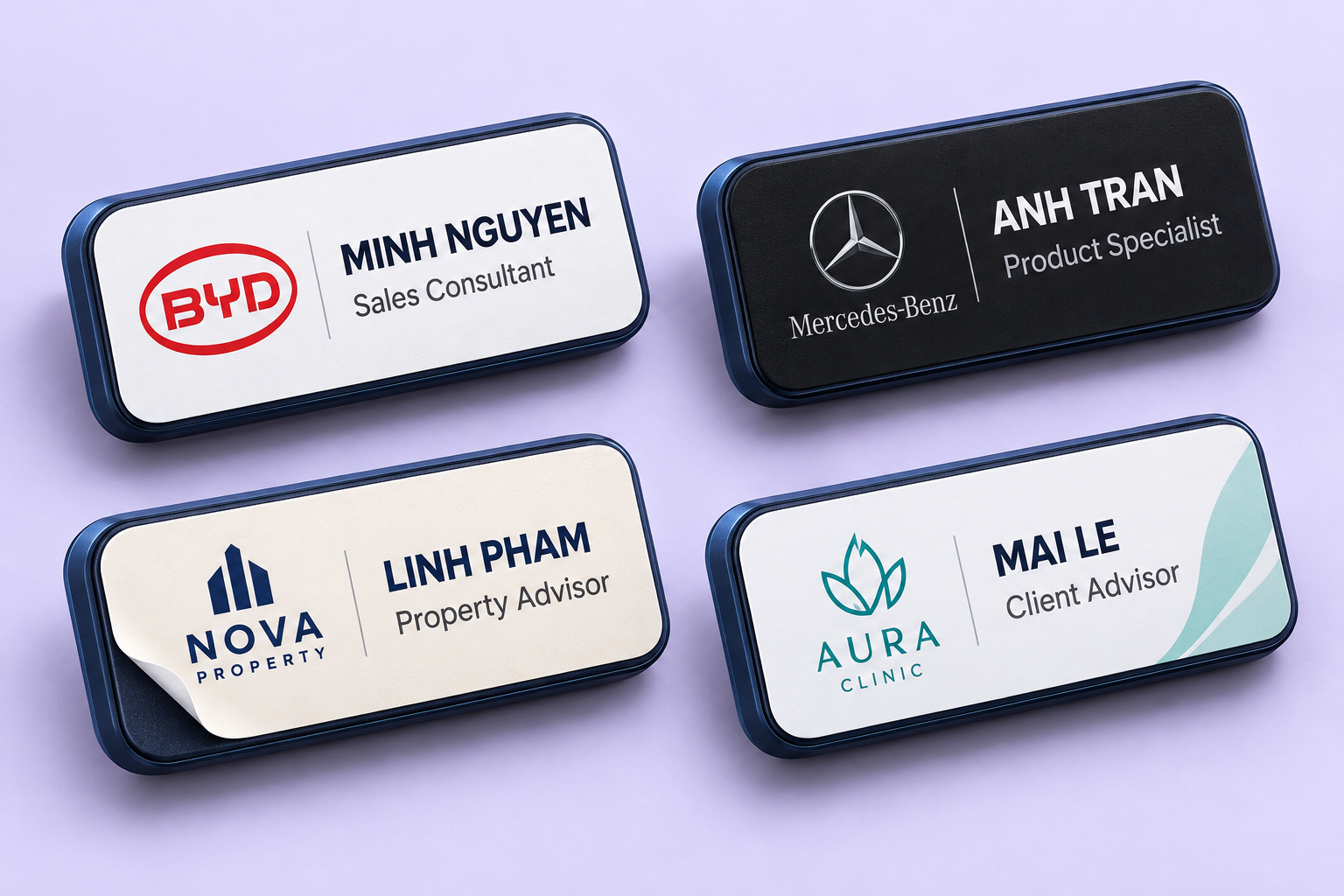
Company branding
Your logo, colours and visual identity.
Name & title
Help customers know who they are speaking with.
A fitted sticker overlay
A printed surface over the Smart ID badge.
Meet. Upload.
Understand. Improve.
One connected workflow for conversations that happen in person. Explore each step below.
Stay focused on the person in front of you.
Wear SalesLens Smart ID for the customer conversation. Explain the recording to participants and follow your organisation’s consent process before you begin.
Customer visits · Discovery meetings · On-site consultationsBring the recording into SalesLens.
Upload the badge recording over Wi-Fi using your configured setup. Once the recording reaches SalesLens, processing turns the audio into a conversation you can review.
Recorded conversation → Upload → ProcessingKnow what mattered. Know what to do next.
Confirm the company and contact, then review customer needs, qualification gaps and agreed actions. Use the coaching to practise a better approach before the next visit.
Customer insight → Coaching → Next conversation
Listen beyond
the meeting notes.
A quick note can miss the hesitation behind a price question or the reason a deadline matters. Keep a recording you can return to, so follow-up and coaching have the context of the actual conversation.
- Review the customer’s priorities and concerns
- Connect the recording to the rep, company and contact
- Carry agreed actions into the next conversation
Find the missed question.
Make the next visit count.
Review face-to-face meetings against your company playbook. See the needs you uncovered, the qualification still missing and the specific behaviour to improve.
- 01 / CUSTOMER NEED
Hear the business problem
“Our team spends too much time redoing this work.”
The customer describes rework. The time and business impact are not yet quantified.
- 02 / QUALIFICATION GAP
See what is still unknown
- How often does it happen?
- Who feels the impact?
- What would improvement be worth?
A stated pain point is a starting point, not a complete business case.
- 03 / PERSONAL COACHING
Practise a stronger follow-up
“In a typical week, how many hours does that rework take—and what does it stop the team doing?”
Explore the impact before presenting the solution. Practise the question, then apply it in your next visit.
The meeting ends.
The relationship continues.
An in-person conversation may have no calendar invite or attendee list. Confirm who you met so the insight belongs to the right customer, and the next rep or meeting starts with the right context.
- 01
Confirm the company
Attach the conversation to the customer account.
- 02
Confirm the contact
Add their name and confirm their email when available.
- 03
Review the next step
Check the action, owner and agreed timing before following up.
The meeting ends. The learning continues.
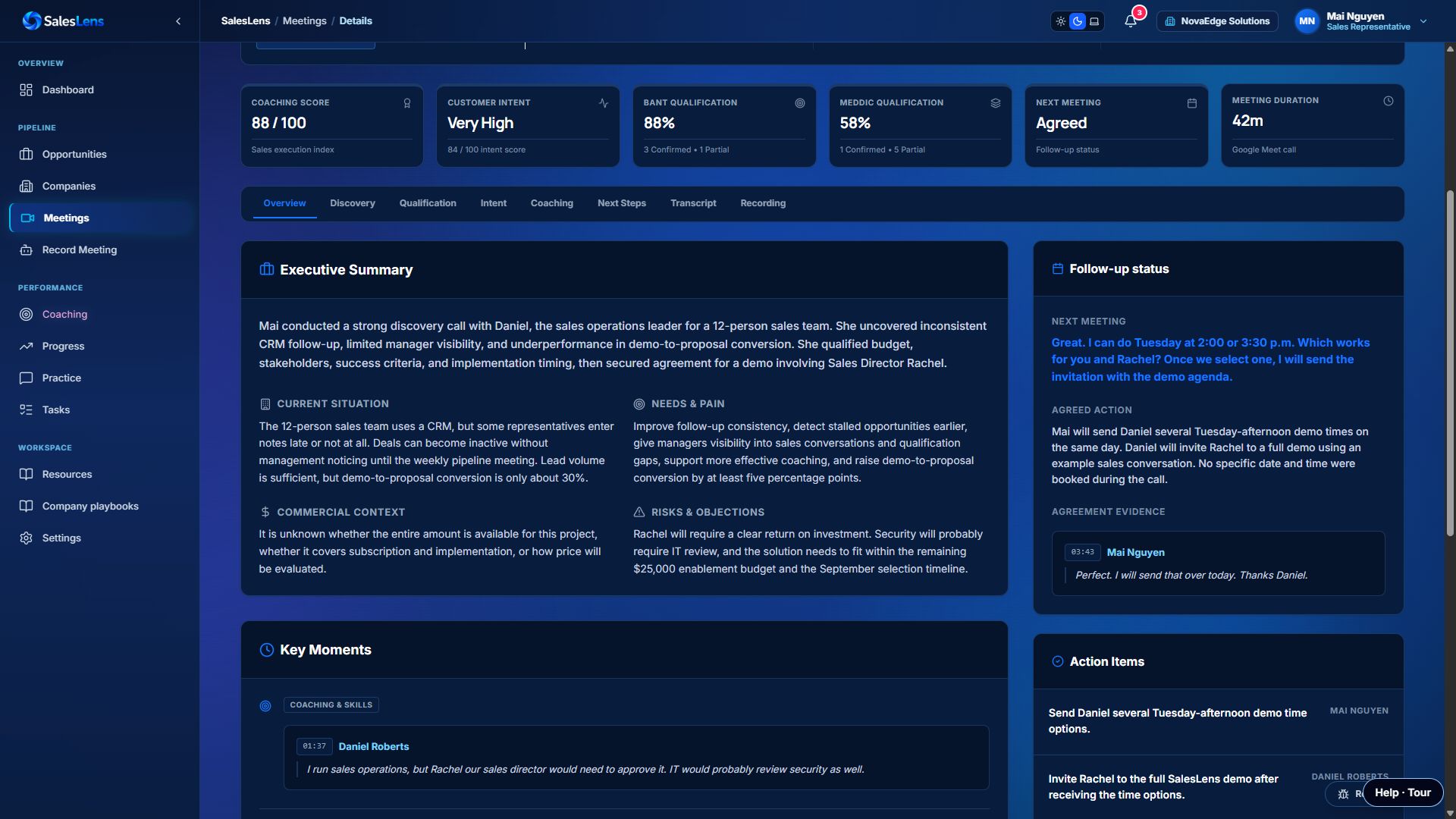
Explore the meeting summary, customer intent and qualification before moving into coaching and practice.
Your badge questions.
Clear answers.
What is SalesLens Smart ID?
SalesLens Smart ID is a wearable recording badge for face-to-face customer conversations. Recordings are uploaded into SalesLens for meeting analysis and coaching, bringing in-person meetings into the same review workflow as online calls.
How does a badge recording become meeting analysis?
Capture the conversation, upload the recording over Wi-Fi through your configured badge workflow and let SalesLens process it. Then review the transcript, customer insights, next steps and coaching. Analysis is available after upload and processing.
How do we link an offline meeting to a customer?
Confirm the company and contact for the recording. If there is no calendar invitation or attendee email, add or confirm the contact’s email after the meeting. A recording alone cannot establish someone’s email address.
Can coaching follow our B2B playbook?
Yes. Use company playbooks to give analysis and coaching the context of your products, discovery approach and qualification criteria. Face-to-face conversations can be reviewed against the same sales expectations as online calls.
What should we check before rolling out badges?
Use a pilot to check audio quality in your actual meeting environment, badge placement, Wi-Fi upload, rep assignment and your participant consent process. We can help scope the setup and hardware requirements for your team.
Bring your real-world
conversations into focus.
See the badge, explore the analysis and plan a pilot around the way your team meets customers.
See Smart ID in a demo