
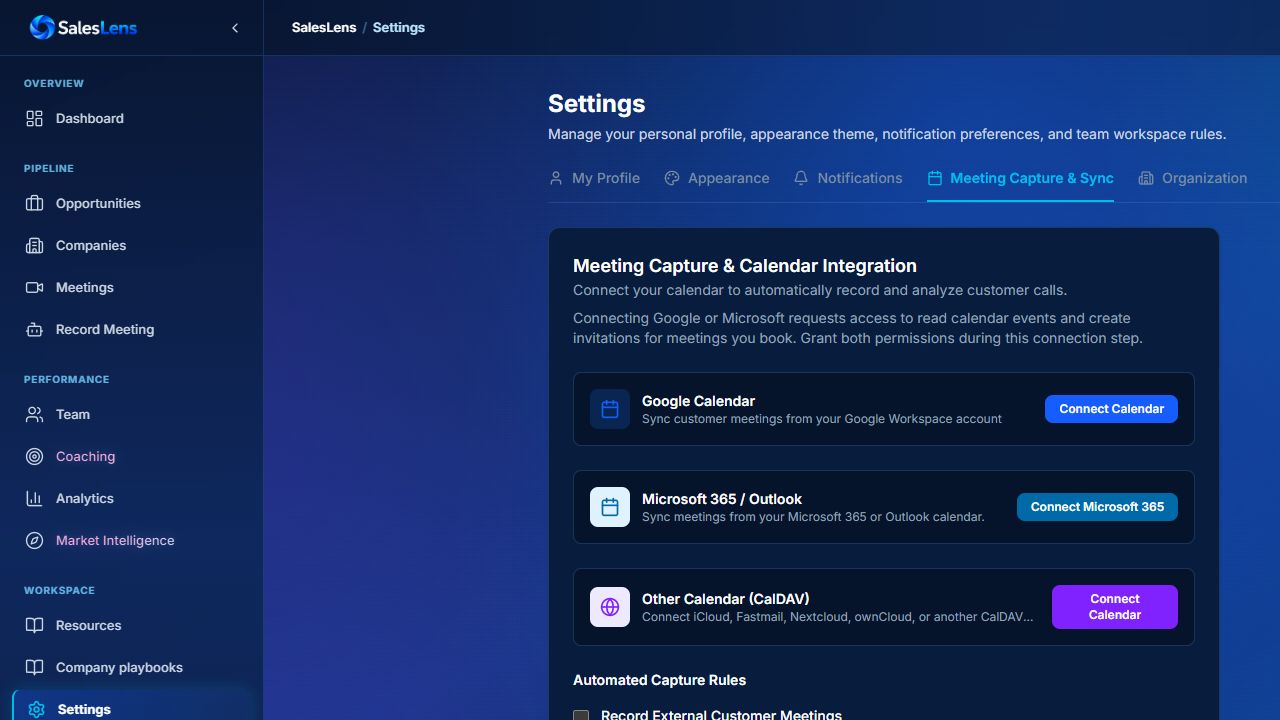
Connect your calendar
Review upcoming meetings and configure the Google Calendar auto-join rules that fit your team.
Connect online meetings, face-to-face recordings and supported dialler workflows to the same analysis and coaching process.
Review upcoming meetings and configure the Google Calendar auto-join rules that fit your team.
Use a microphone recording or Smart ID workflow for face-to-face conversations.
Confirm the rep, customer and meeting type so the analysis has a useful starting point.
Customer conversations happen in video calls, offices, shops and on the phone. A consistent capture process gives those interactions a place in the same review workflow, with the right rep and customer context.
Explore practical use casesConnect your calendar, review upcoming meetings and set auto-join rules for the meetings you want captured. Keep internal and customer meetings distinct.
Use the supported microphone or Smart ID workflow for in-person conversations. Confirm the customer details that a calendar invitation would normally provide.
Bring an existing recording into review with its meeting context. Recording quality and accurate participant information help make the analysis useful.
Agree the recording source, file format and rep identity mapping for a supported dialler workflow before rollout.
Real demo-account screens. Explore the detail behind the workflow.
The details should still reach the same review workflow as an online call.
Illustrative situations showing how to put the feature to work.
Some customer discussions appear in the calendar; others happen during a site visit.
Use calendar capture online and the agreed in-person recording route on site, then confirm customer context.
Review the customer relationship across both channels.
Different reps record differently, making ownership and coverage hard to understand.
Agree capture rules, participant notice, device assignment and a simple check that the recording reached the right account.
Create a repeatable starting point for analysis and coaching.
Use these outcomes to guide your team’s review and assess whether the workflow is helping.
Review eligible meetings against recordings received to identify gaps.
Check that recordings belong to the correct rep and customer.
Use one analysis workflow for supported sources.
Define which conversations to record, how participants are informed and who owns setup. Test access, admission and audio quality for each source before relying on it across the team.
Admission depends on the meeting platform and host settings. Review capture rules and meeting access before relying on a recording.
Dialler workflows depend on provider access, recording format and rep identification. Confirm compatibility during the setup discussion.
Turn meeting commitments into visible actions with owners and deadlines, keeping follow-up connected to the customer conversation.
Explore featureGive analysis and coaching the context of your company, products, customers and sales process. Define what a good conversation means for your team.
Explore feature