Bring supported online meetings, face-to-face recordings and dialler workflows into SalesLens. Connect customer email separately to add context between meetings.
A meeting invitation, a customer visit, an existing recording or a supported dialler source.
WHAT YOU TAKE FORWARD
A conversation ready for review, connected to the right rep, customer and meeting type.
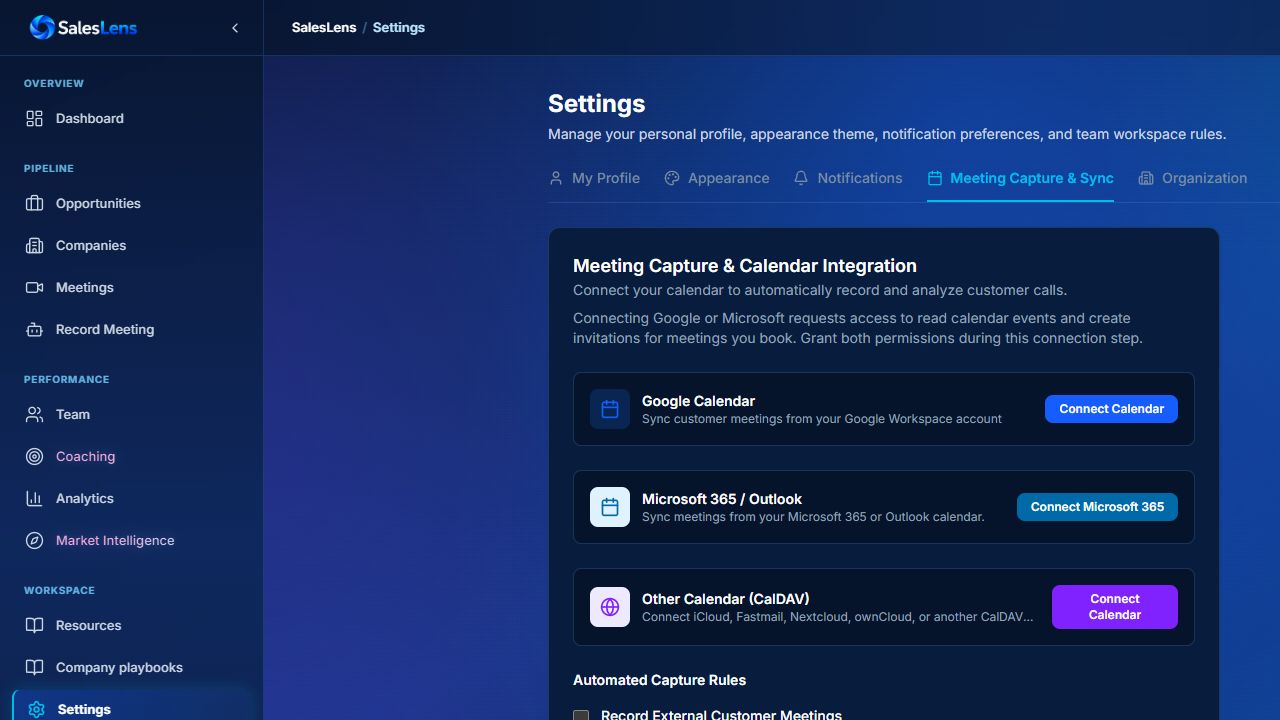
Connect your calendar
Review upcoming meetings and configure the auto-join rules for the conversations you want captured. Meeting access and host admission still apply.
Bring face-to-face meetings into the same workflow
Use a supported microphone recording or Smart ID workflow. Confirm the customer and contact when there is no calendar invitation to supply those details.
Agree your dialler route
Confirm provider access, recording format and rep identification before setting up a dialler workflow. Start with a test recording to check the complete path.
Add relevant customer email
Email and calendar are separate connections. Match email using known customer addresses so customer context grows without importing the entire inbox.
INSIDE SALESLENS
Connected calendar and upcoming meetings
Real demo-account screen · Select to enlarge
IN PRACTICE
One customer, two meeting channels
A rep holds an online discovery call, then visits the customer’s office for a demonstration.
The workflow
The first call uses the agreed calendar capture rules. The visit uses an in-person recording, with the same customer confirmed afterwards.
The useful next step
Both conversations can inform the next review without relying on the rep to reconstruct the details from memory.
Set the team up for a useful first run.
Confirm recording notice and permissions for your workflow.
Test audio quality, meeting admission and the upload path.
Check the rep, customer and contact details on the first recording.
Confirm recording notice and permissions for your workflow. Test audio quality, meeting admission and the upload path. Check the rep, customer and contact details on the first recording.
What happens after this step?
A conversation ready for review, connected to the right rep, customer and meeting type.