
Connect the right customer
Link conversations to the company, contact and relevant opportunity.
Bring meetings, relevant customer emails, contacts and opportunities into one customer context so the next conversation builds on the last.
Link conversations to the company, contact and relevant opportunity.
Sync matching customer conversations using known contact email addresses.
Use dated evidence to revisit needs, concerns and agreed next steps.
Customer knowledge is easily split between meeting notes, email threads and the memory of one rep. A connected journey brings relevant interactions back to the company, contact and opportunity so the team can review the relationship in context.
Explore practical use casesKeep the right customer details connected to the conversation. Use attendee emails when available and confirm missing contact information.
Use known customer email addresses to bring matching conversations into context, rather than importing an entire inbox.
Move between meetings and email conversations to understand what was discussed and what changed.
Link to an opportunity when appropriate. Multiple active deals need careful association so unrelated discussions do not become deal evidence.
Real demo-account screens. Explore the detail behind the workflow.
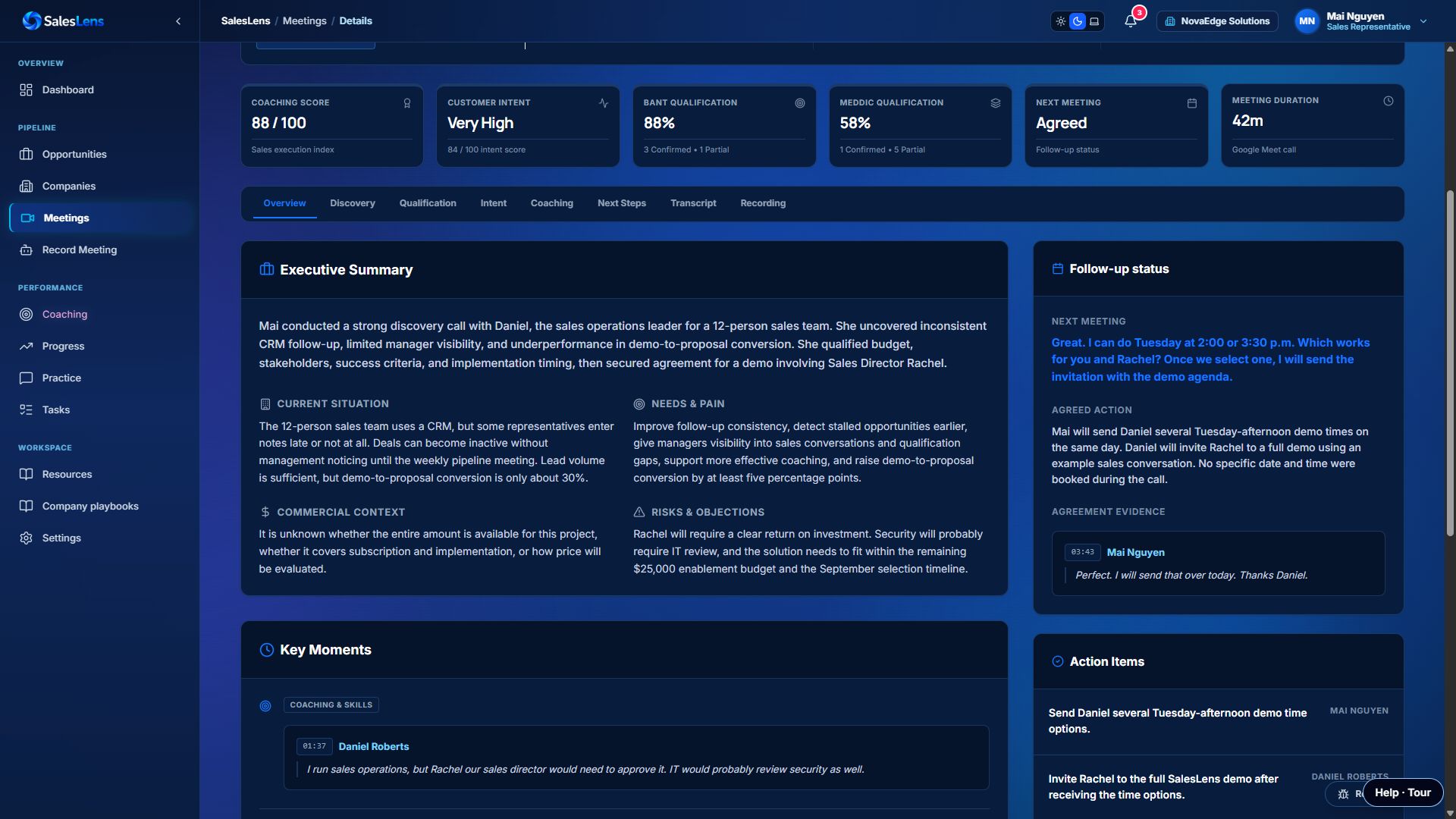
The next rep conversation should include the new timing and its source.
Illustrative situations showing how to put the feature to work.
A new rep inherits a relationship with several meetings and ongoing email discussions.
Review the company journey, key contacts, latest needs and outstanding actions before contacting the customer.
Continue with context instead of asking the customer to repeat everything.
The customer emails a revised timeline after a promising call.
Review the newer email evidence alongside the meeting and update the next action accordingly.
Prepare using the latest known situation rather than an outdated meeting impression.
Use these outcomes to guide your team’s review and assess whether the workflow is helping.
Check whether the next rep can understand the latest commitments.
Use recent evidence before a follow-up or account review.
Keep contact details and opportunity associations accurate.
Confirm the customer and contact after each meeting, especially for offline recordings. Connect email separately, choose the available history window and maintain accurate contact addresses for matching.
The customer workflow is based on relevant contact addresses, rather than importing an entire inbox to sort later. Email and calendar connections are separate.
Confirm the company and contact after the meeting. Add an email when the customer shares it; do not infer one from the transcript.
Turn recorded meetings into a clear summary of customer needs, buying intent, qualification gaps and next steps—with evidence you can return to.
Explore featureBring recurring needs, concerns and competitor mentions from sales conversations into a useful view for the wider business.
Explore featureUse real customer objections to improve questions, responses and practice. Start with the evidence in meeting analysis, then coach the moment that needs work.
Explore feature